
Integrate EasyToggle
Publish a JSON document, then fetch it from your app. No SDK. Development and production each keep their own URL.
1. Publish
Sign in, create a project, edit typed keys in the browser, then Publish once to get a stable public URL. The screenshots below match the live dashboard.
Create a project
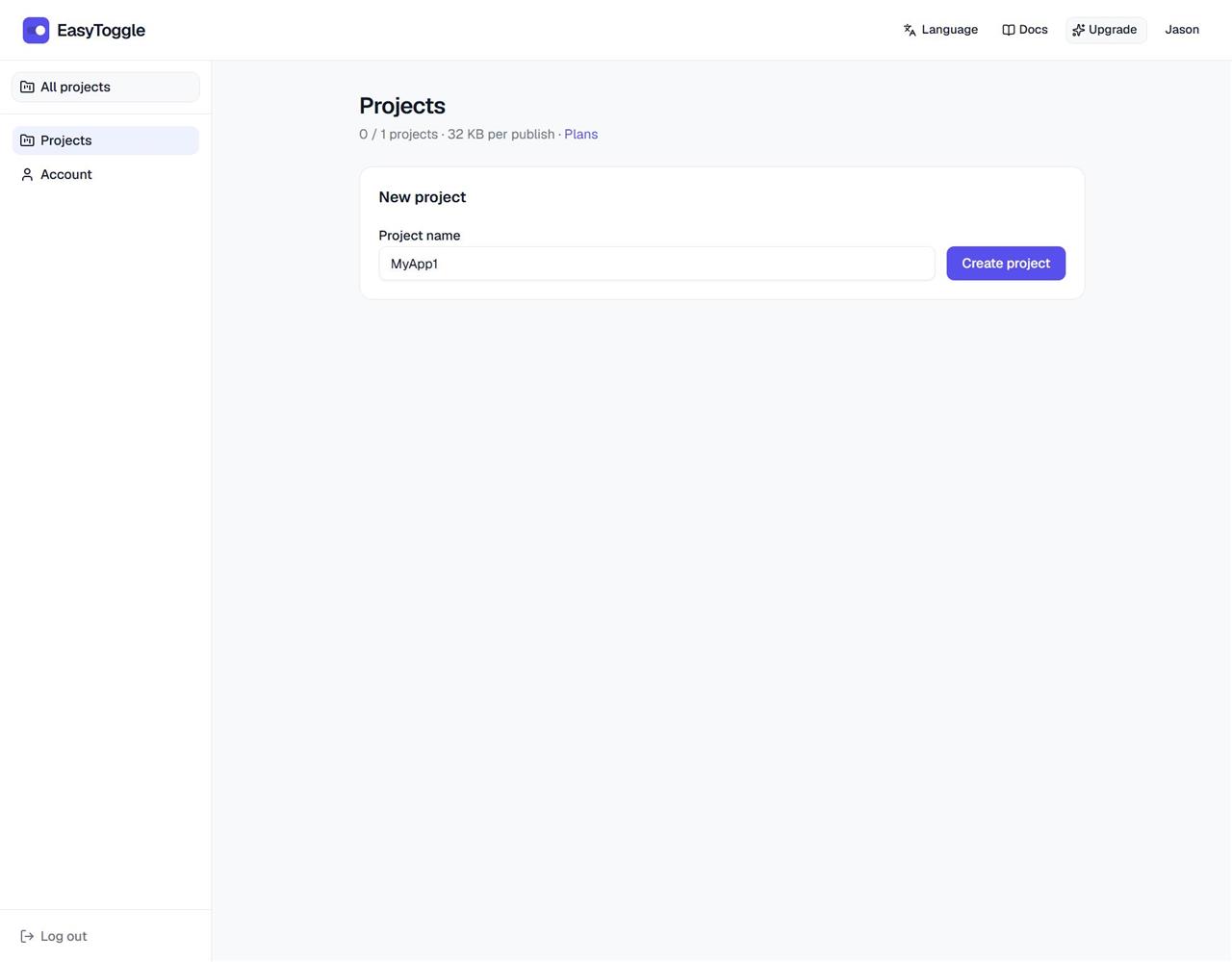
Open Projects. On a new account the form is already expanded; otherwise click New project. Enter a name and click Create project. Free allows one project; Pro allows more.
Open the project and pick an environment
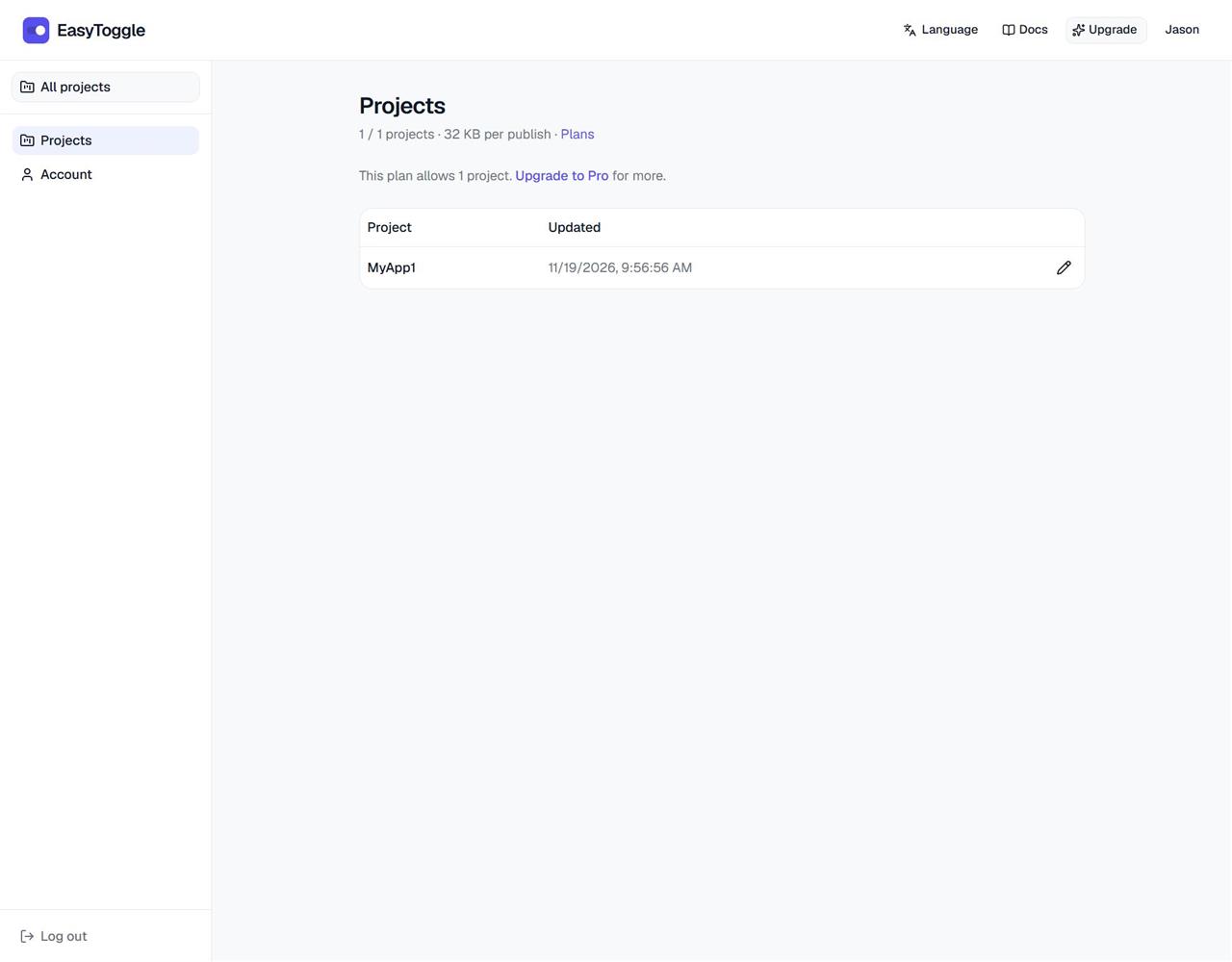
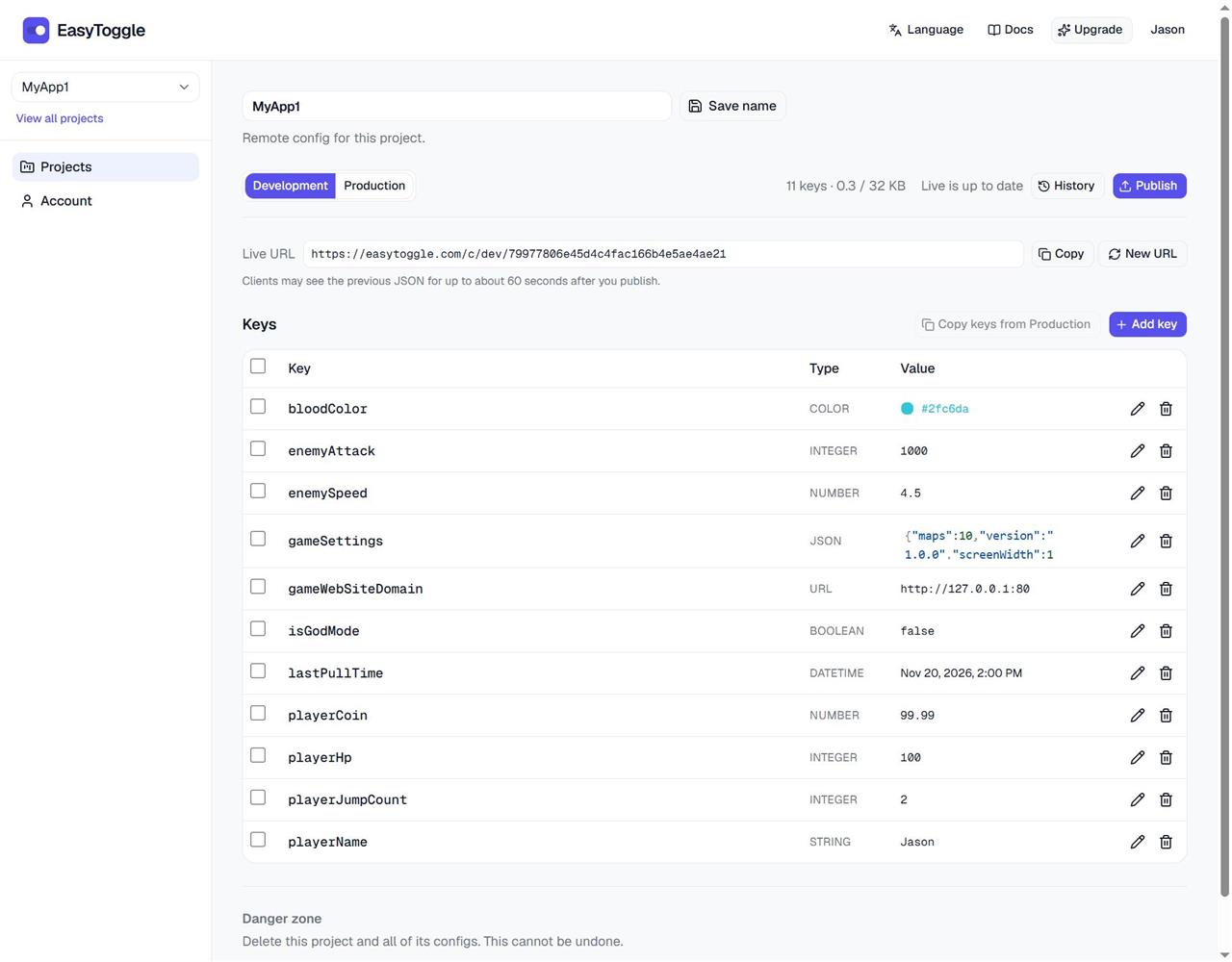
Click the project name in the list. At the top of the editor, choose Development or Production — each environment has its own draft, publish history, and public URL.
Add keys
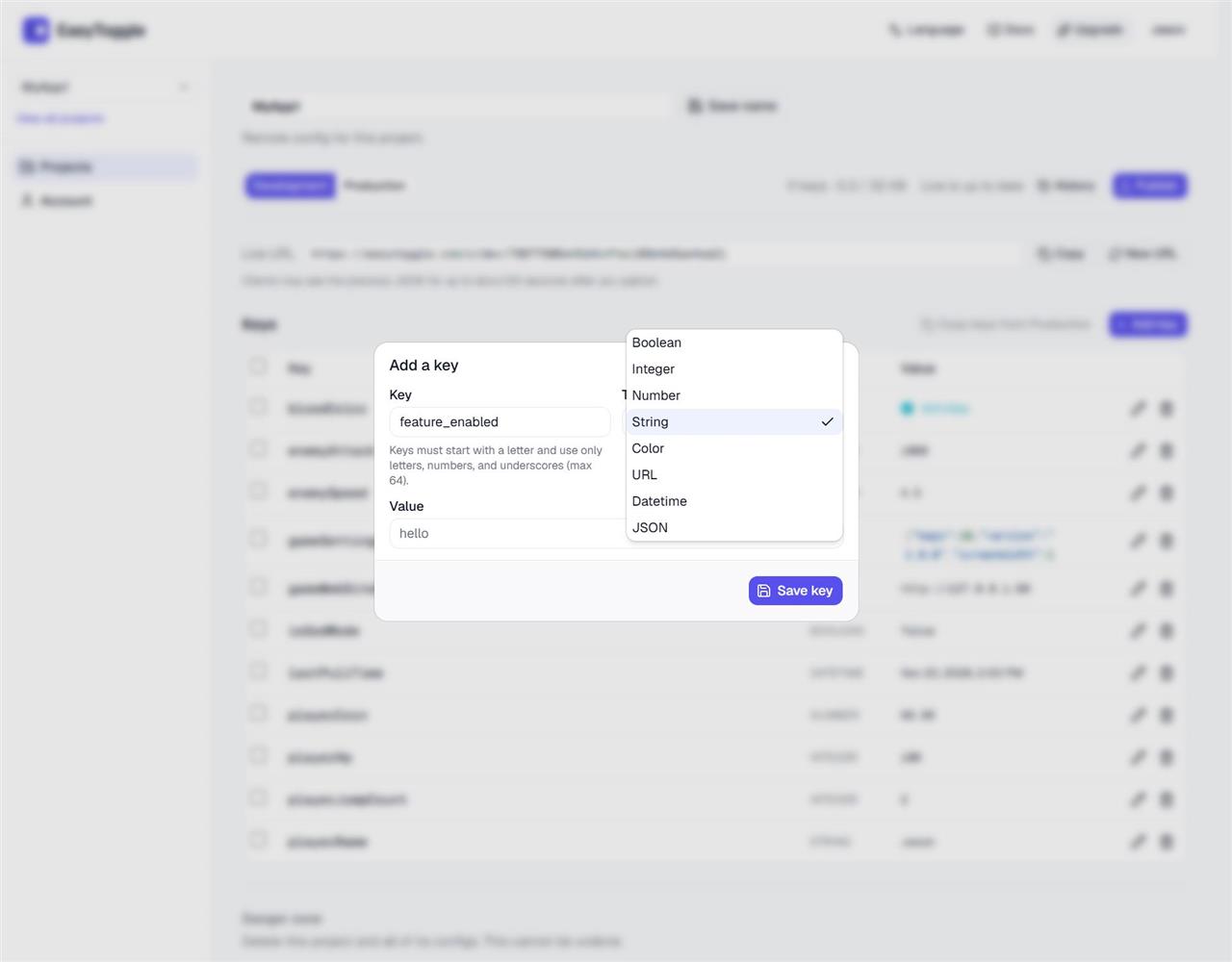
Click Add key. Names must start with a letter and may use letters, numbers, and underscores (max 64). Choose a type, set the value, then Save key. Changes stay in the draft until you Publish.
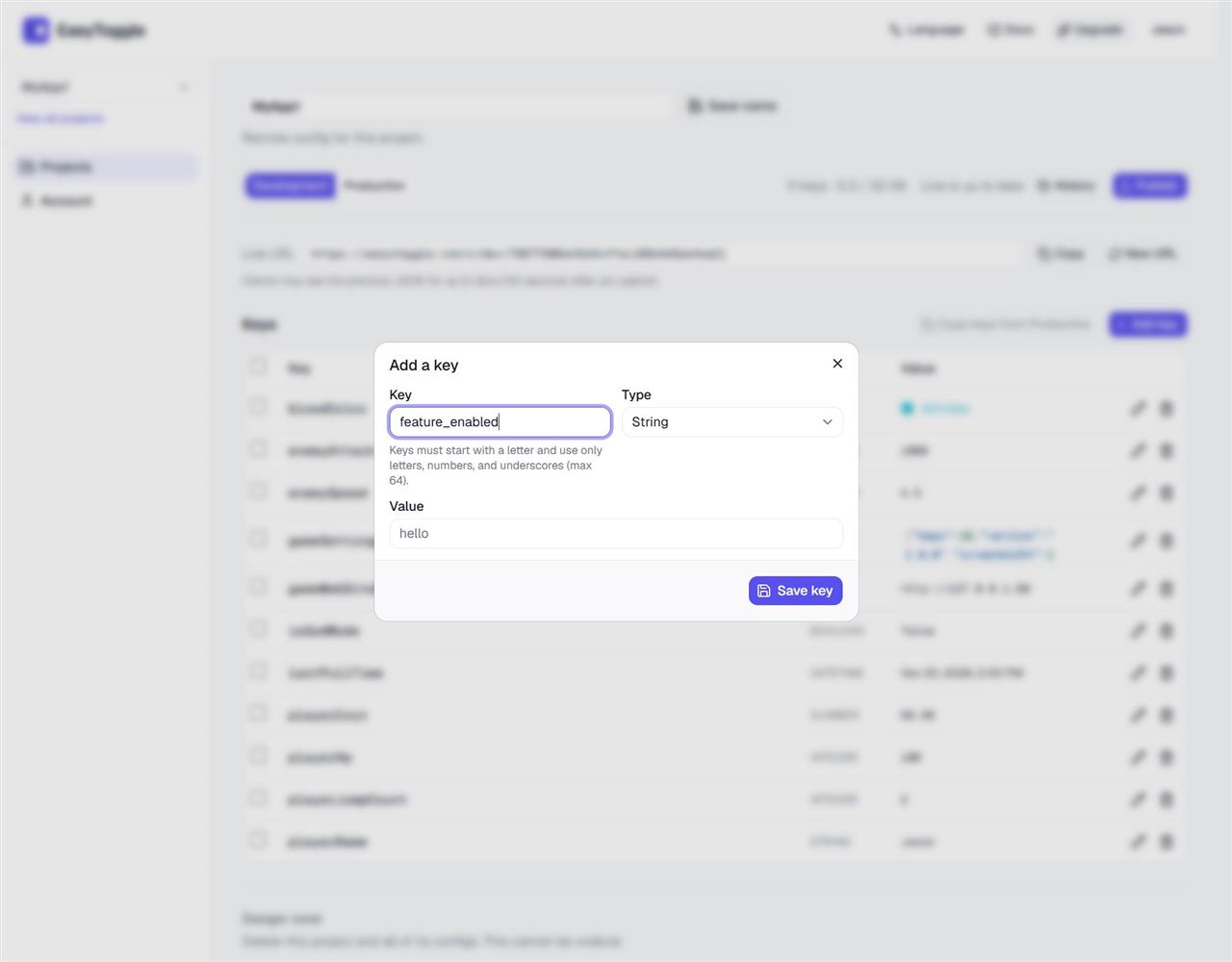
Types include Boolean, Integer, Number, String, Color, URL, Datetime, and JSON. Pick the type that matches how your app will read the value.
Publish
Click Publish. You get a Live URL such as /c/dev/… or /c/prod/…. Publishing again keeps the same URL. Clients may see the previous JSON for up to about 60 seconds after you publish.
2. Fetch
Point a dev build at /c/dev/ and a store build at /c/prod/. The token in the dashboard is the one that belongs to that environment.
Prefer remote JSON, then fall back to the last successful response on disk (or platform storage), then to built-in defaults so a network failure does not break the game. Storage APIs differ by stack—examples use English comments as placeholders.
A JSON value is inlined, so a key named shop comes back as an object, not a string. Keep a default in the app for any key that might be missing.
3. Caching and size
Responses are public JSON and may be cached at the CDN for about 60 seconds. That is separate from your client-side cache of the last good payload. CORS allows any origin, so a browser game can fetch the URL directly. Do not append random query strings to bust the CDN—use the stable URL and your local fallback instead.
- Free: 32 KB published JSON, one project.
- Pro: 256 KB published JSON, up to 20 projects.
The limit is the UTF-8 size of the published document. There is no key-count cap. History keeps recent publishes per environment; restore republishes an older version and keeps the same public URL.